


Meta Ads MCP for Claude and ChatGPT
The Blip MCP is a Meta ads MCP server that connects your Blip account to Claude or ChatGPT. You can launch ads in bulk, check performance and act on Blip's recommendations by chatting directly with your AI assistant.
What you can do
- Launch standard, carousel, flex, placement-customized and partnership ads, paused, scheduled or live.
- Launch from a CSV (using Blip's CSV template), uploaded files or a Google Drive folder shared as "Anyone with the link".
- Pull account overviews, audits and summaries, and see trending creatives.
- Pause poor performers and apply budget recommendations.
- Analytics use your saved CPA and ROAS settings. If they're missing, Blip asks for them in the chat.
Blip MCP vs Meta's Ads MCP
Meta launched its own Ads MCP in 2026. Both connect through Meta's official API. The difference is what they're built for.
| Blip MCP | Meta Ads MCP | |
|---|---|---|
| Launch ads from a Google Drive folder or CSV | Yes | Not in Meta's docs |
| Saved naming conventions and defaults per ad account | Yes | No |
| Groups 1:1, 4:5 and 9:16 files by placement | Yes | No |
| Partnership ads with creator codes | Yes | Not in Meta's docs |
| Budget recommendations and audits | Yes | Reporting only |
| Catalogs, signal health, A/B tests | No | Yes |
| Price | From $49 a month | No price listed |
You can use both: Meta's MCP for catalogs and tests, Blip's for launching.
Server URL
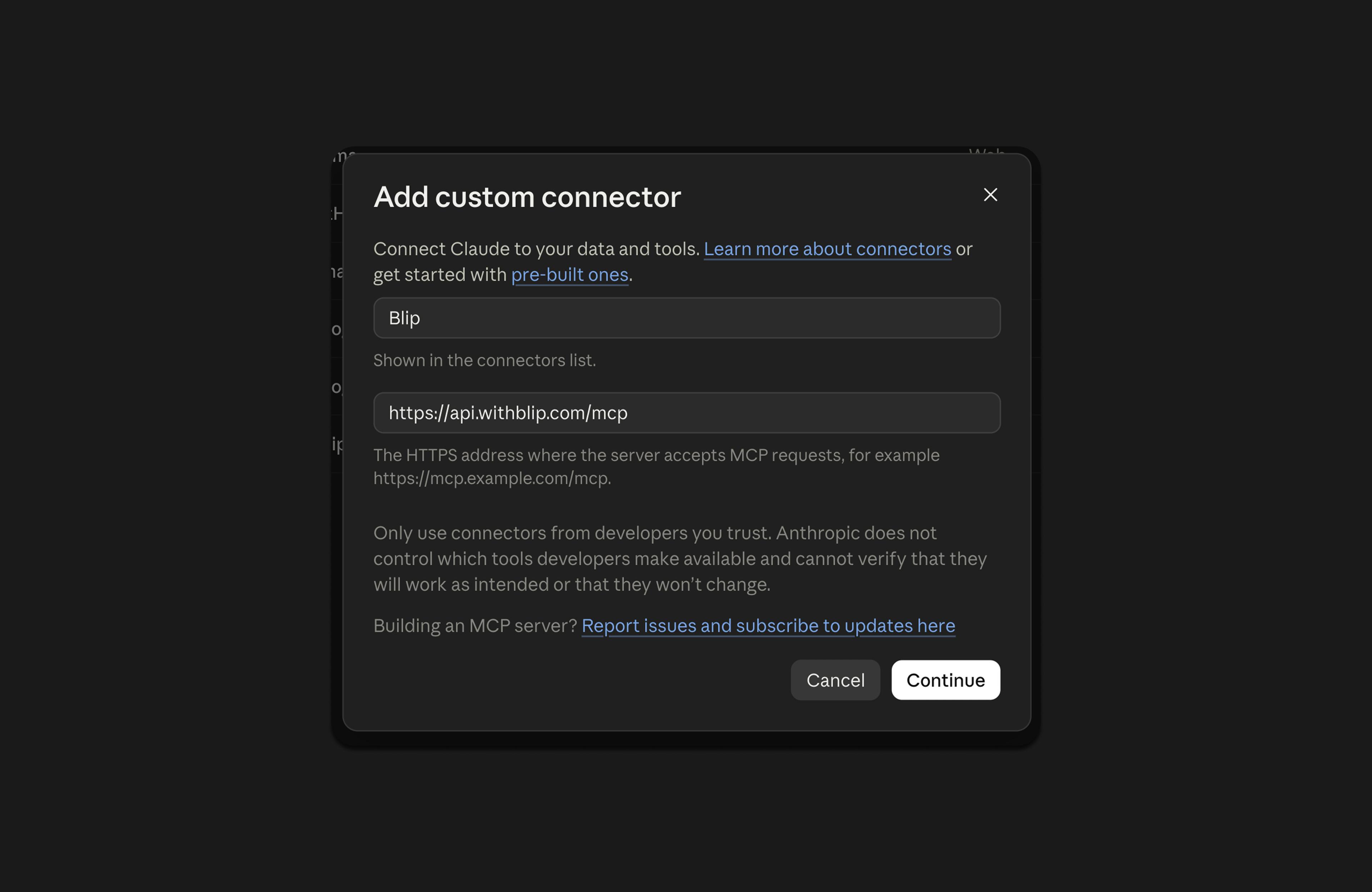
https://api.withblip.com/mcpConnect in Claude
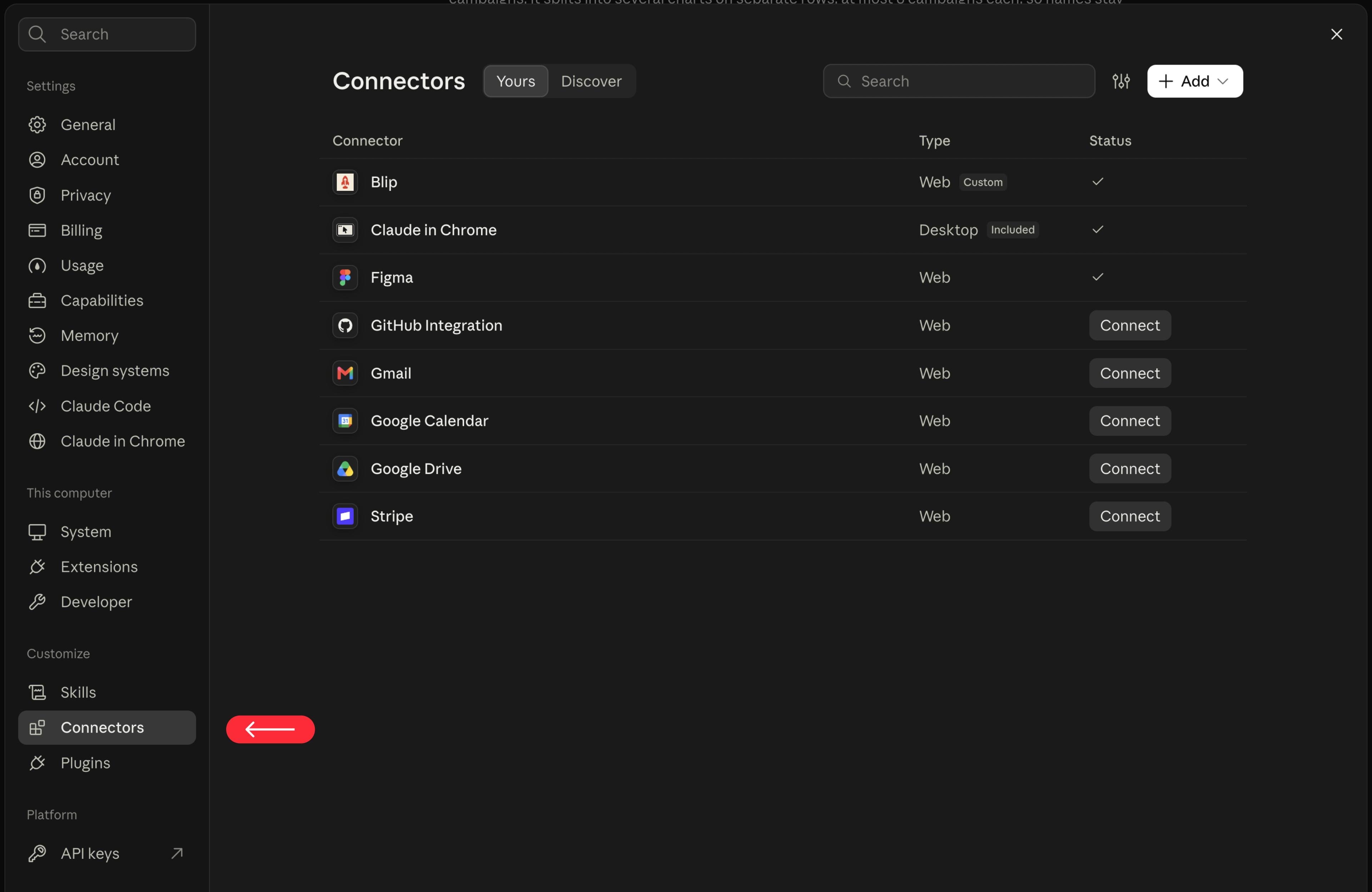
- In Claude, open Settings → Connectors and click Add → Add custom connector.
- Name it Blip, paste the server URL and click Continue.
- Click Connect, sign in to Blip and click Authorize MCP Access.
Connect in ChatGPT
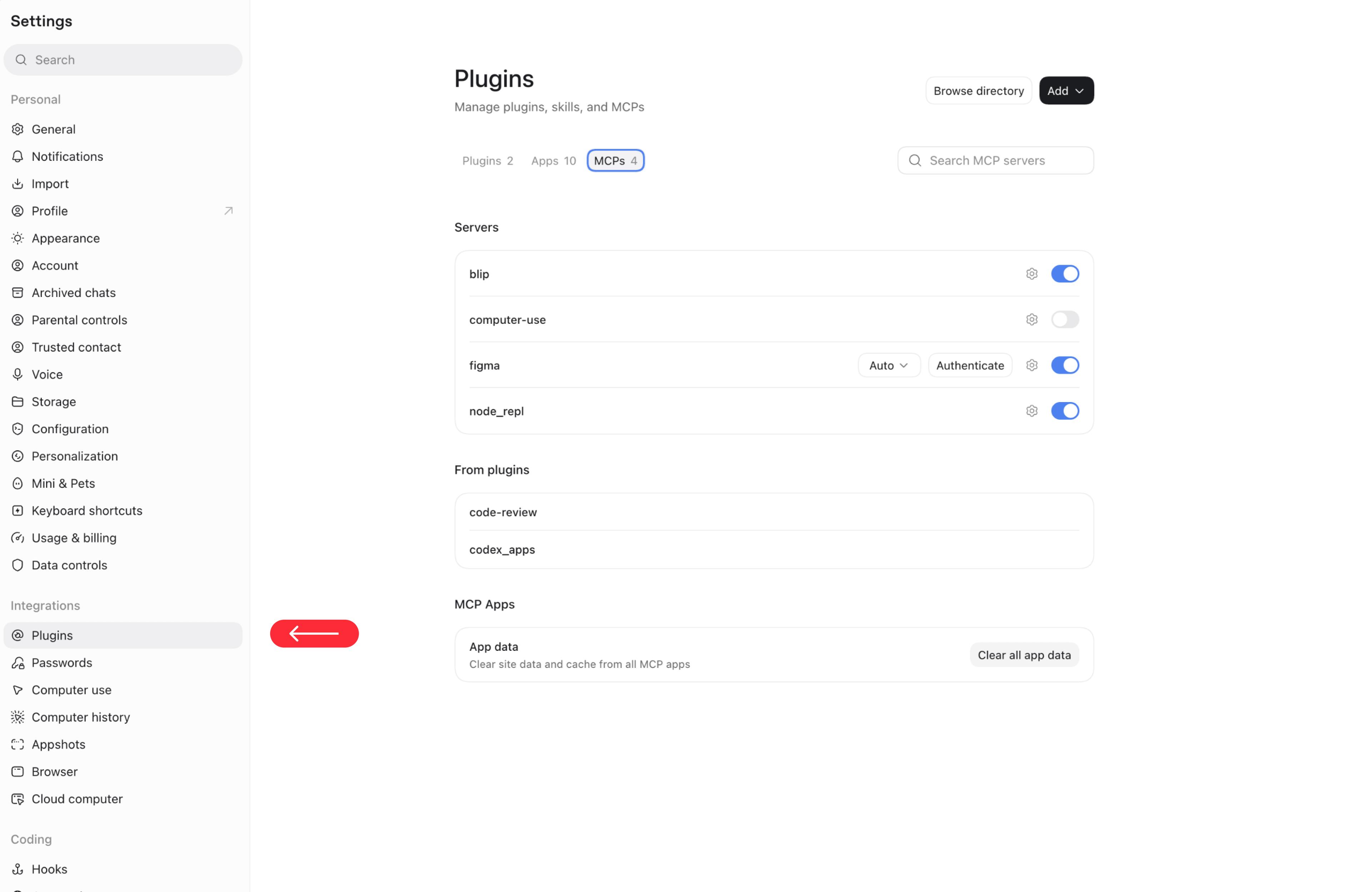
- In ChatGPT, open Settings → Plugins → MCPs and click Add.
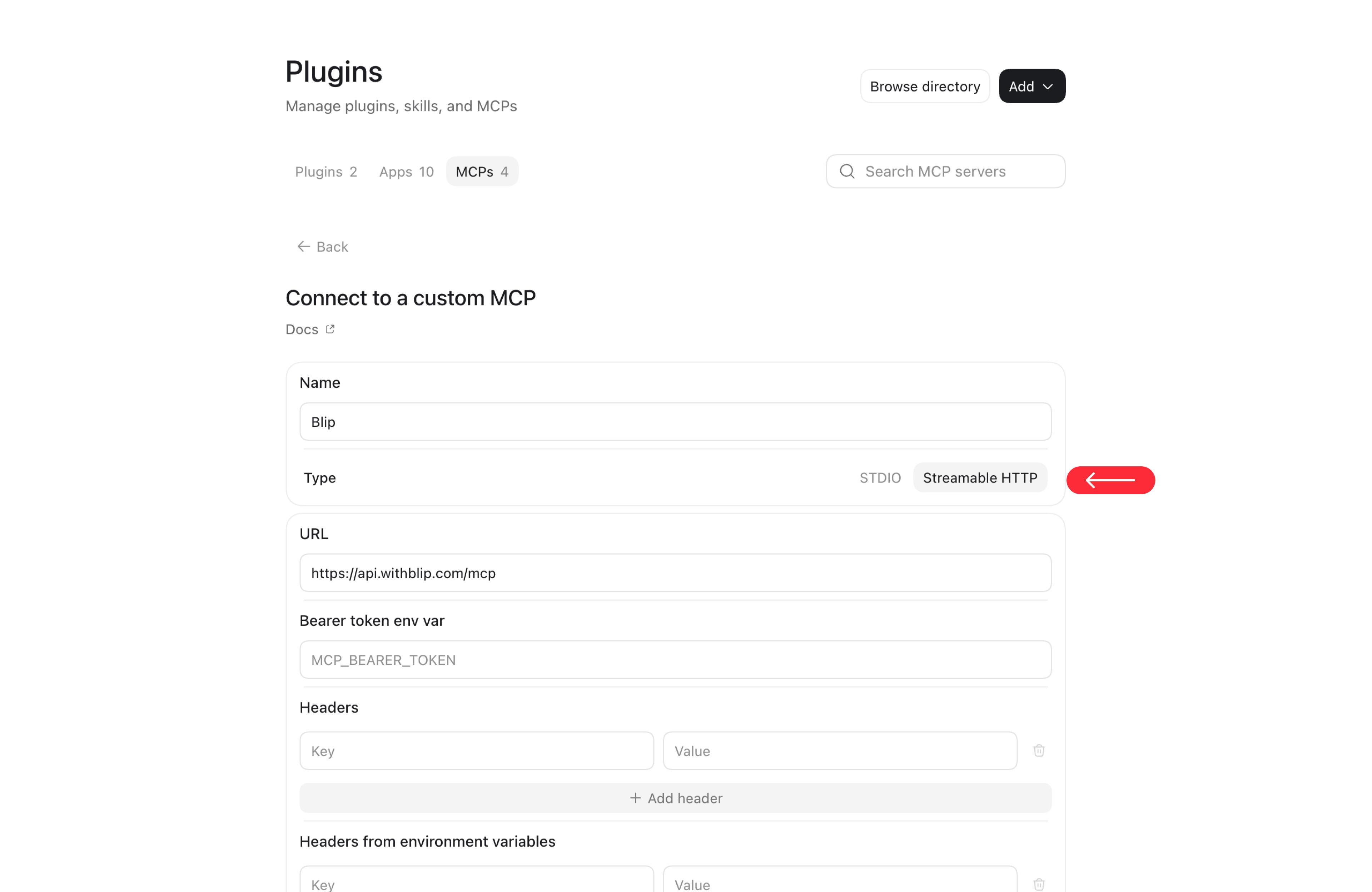
- Name it Blip, choose Streamable HTTP, paste the server URL and save.
- Click Authenticate next to Blip, sign in to Blip and click Authorize MCP Access.
Tip: your chat app may ask before Blip runs a tool. Choose Always allow so it doesn't ask every time.
Example prompts
Launch ads
- "Launch the images in this folder as paused ads in my Prospecting ad set."
- "Group these files by aspect ratio and launch them as placement-customized ads."
- "Create a carousel ad from these 4 images with a headline for each card."
- "Launch ads from this Google Drive folder: <link>"
- "Launch the ads in this CSV."
- "Launch these as partnership ads with @creator in a new ad set based on Prospecting, scheduled for tomorrow 9am."
Analytics
- "Show my account overview for the last 14 days."
- "Give me budget recommendations and apply the top two."
- "Which ads are performing poorly? Pause them."
- "What creatives are trending this week?"
- "Give me an account summary for this week."
- "Run an audit and a diagnostic report on my ad account."
FAQ
What is a Meta ads MCP?
A Meta ads MCP is a connector that lets an AI assistant like Claude or ChatGPT work in your Meta ad account. The Blip MCP adds bulk launching from Google Drive folders and CSVs, with your saved templates and naming.
Is it safe for my ad account?
Blip is a Meta Verified Tech Partner and launches through Meta's official API with access tokens. It doesn't use browser automation.
How is this different from Meta's own Ads MCP?
The comparison table above shows how the Blip MCP and Meta's Ads MCP differ.
Is there a Meta ads MCP for Claude Code?
Yes. Run claude mcp add --transport http blip https://api.withblip.com/mcp and sign in to Blip when asked.
Which plans include the MCP?
The MCP works with your Blip account. Plans start at $49 a month, with a 7-day free trial and no credit card.
Does it work with TikTok?
The MCP prompts above are for Meta ads. TikTok ads are launched in Blip's TikTok launcher.
Setup steps are also in the MCP help docs.
Start free trial