


Launch Meta ads from Claude and ChatGPT
The Blip MCP connects your Blip account to Claude or ChatGPT. You can launch ads, check performance and act on Blip's recommendations from a chat.
What you can do
- Launch standard, carousel, flex, placement-customized and partnership ads, paused, scheduled or live.
- Launch from a CSV (using Blip's CSV template), uploaded files or a Google Drive folder shared as "Anyone with the link".
- Pull account overviews, audits and summaries, and see trending creatives.
- Pause poor performers and apply budget recommendations.
- Analytics use your saved CPA and ROAS settings. If they're missing, Blip asks for them in the chat.
Server URL
https://api.withblip.com/mcpConnect in Claude
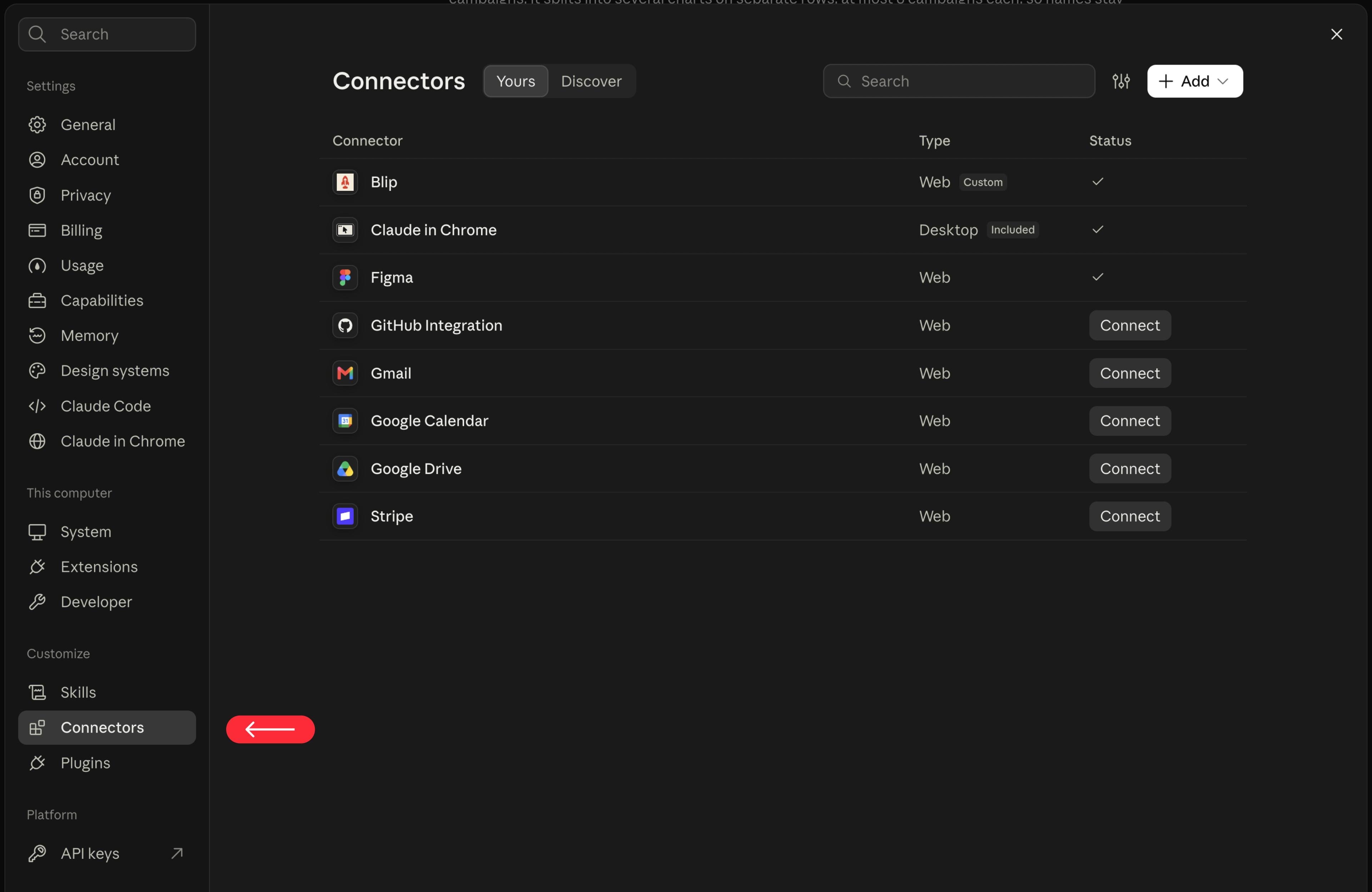
- In Claude, open Settings → Connectors and click Add → Add custom connector.
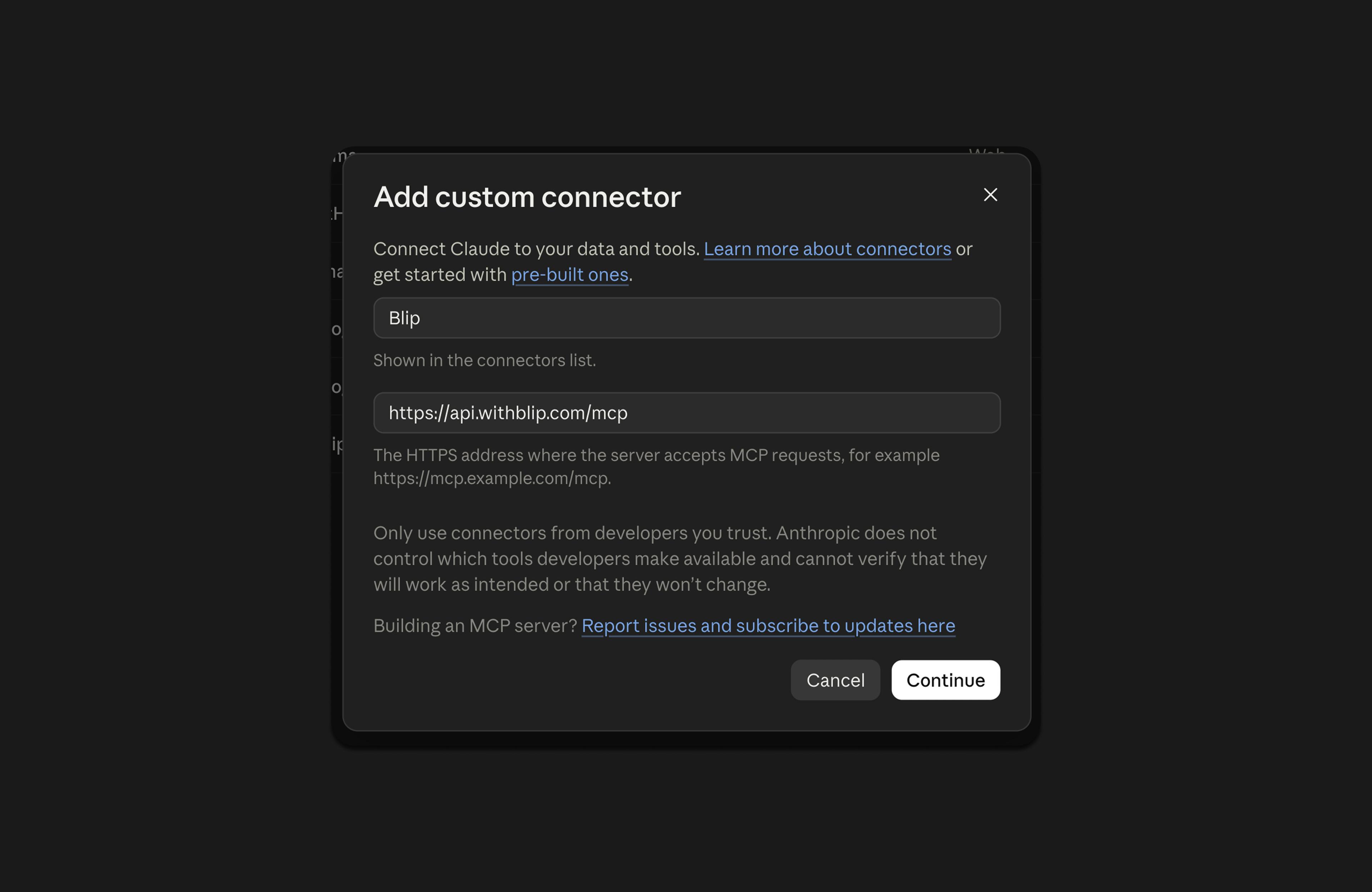
- Name it Blip, paste the server URL and click Continue.
- Click Connect, sign in to Blip and click Authorize MCP Access.
Connect in ChatGPT
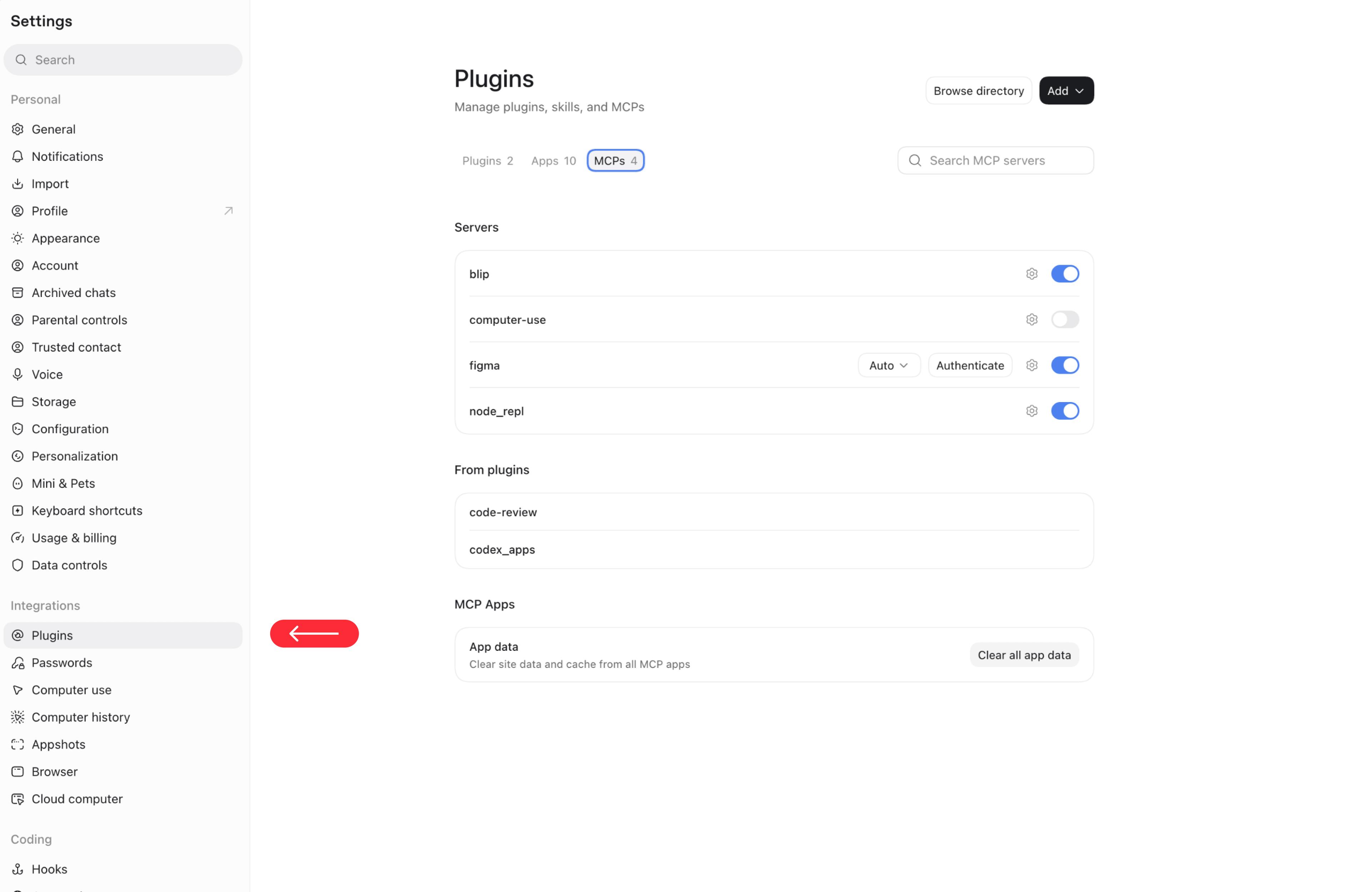
- In ChatGPT, open Settings → Plugins → MCPs and click Add.
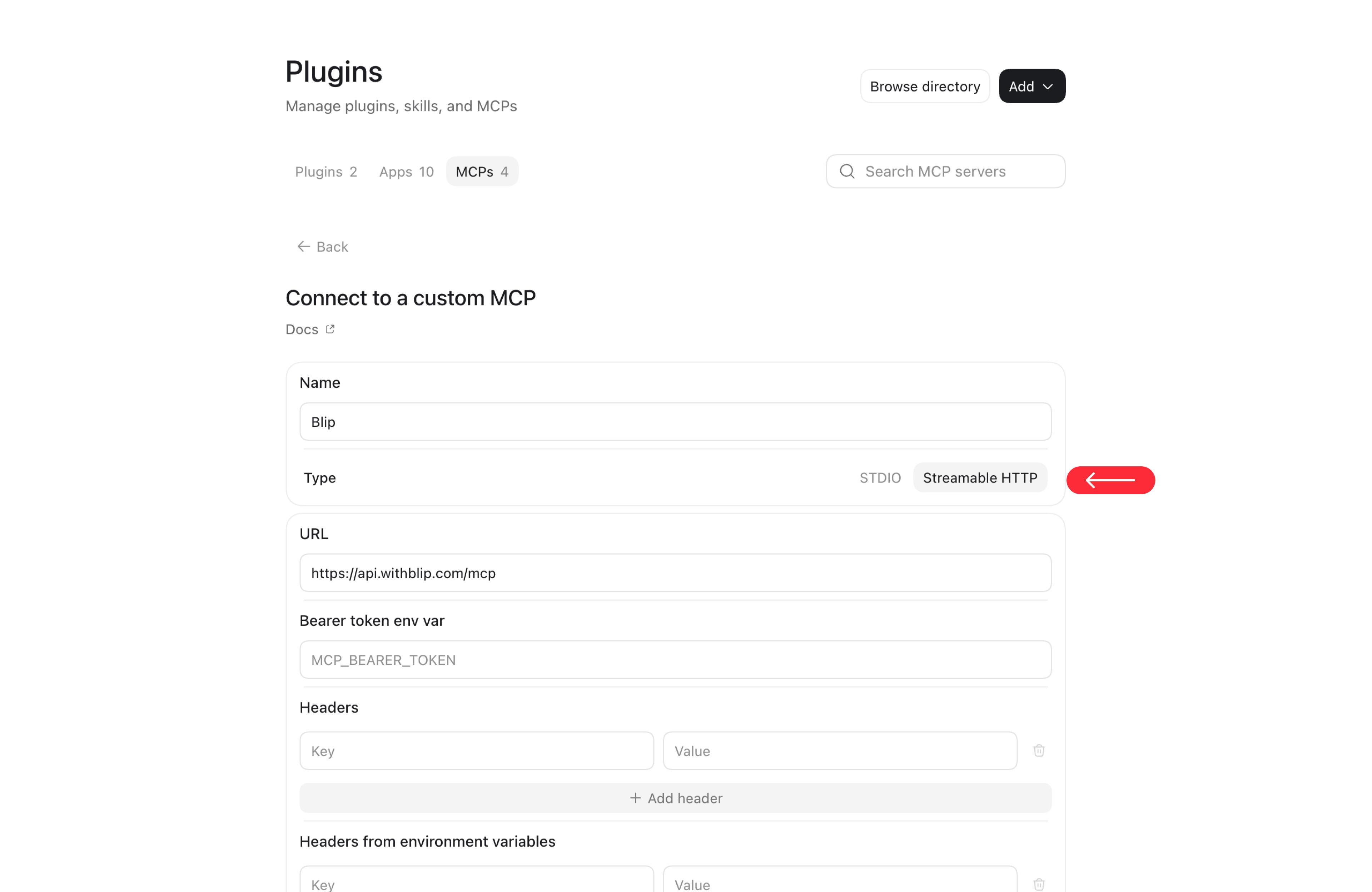
- Name it Blip, choose Streamable HTTP, paste the server URL and save.
- Click Authenticate next to Blip, sign in to Blip and click Authorize MCP Access.
Tip: your chat app may ask before Blip runs a tool. Choose Always allow so it doesn't ask every time.
Example prompts
Launch ads
- "Launch the images in this folder as paused ads in my Prospecting ad set."
- "Group these files by aspect ratio and launch them as placement-customized ads."
- "Create a carousel ad from these 4 images with a headline for each card."
- "Launch ads from this Google Drive folder: <link>"
- "Launch the ads in this CSV."
- "Launch these as partnership ads with @creator in a new ad set based on Prospecting, scheduled for tomorrow 9am."
Analytics
- "Show my account overview for the last 14 days."
- "Give me budget recommendations and apply the top two."
- "Which ads are performing poorly? Pause them."
- "What creatives are trending this week?"
- "Give me an account summary for this week."
- "Run an audit and a diagnostic report on my ad account."
FAQ
Can I launch Meta ads from Claude or ChatGPT?
Yes, with the Blip MCP. Add https://api.withblip.com/mcp as a connector in Claude or ChatGPT and sign in to Blip. You can then launch standard, carousel, flex and partnership ads, pull reports and apply budget recommendations from the chat.
Is it safe for my ad account?
Blip is a Meta Verified Tech Partner and launches through Meta's official API with access tokens. It doesn't use browser automation.
How is this different from Meta's own Ads MCP?
The Blip MCP runs through your Blip account, so launches use your saved templates, naming conventions, per-account defaults and placement grouping, and you can launch straight from Google Drive folders and CSVs. You also get Blip's analytics and budget recommendations in the same chat.
Which plans include the MCP?
The MCP works with your Blip account. Plans start at $49 a month, with a 7-day free trial and no credit card.
Does it work with TikTok?
The MCP prompts above are for Meta ads. TikTok ads are launched in Blip's TikTok launcher.
Setup steps are also in the MCP help docs.
Start free trial